Introduction and Context
In my work, I needed to create a Laravel tool to retrieve statistics for our websites hosted on Cloudflare. I started by searching for API documentation on Cloudflare's website and PHP-compatible libraries.
While testing Cloudflare's official PHP SDK, I quickly realized two things: Cloudflare doesn't seem committed to maintaining this SDK long-term, and some old REST endpoints have been replaced by GraphQL endpoints.
Why GraphQL Blocked Me
Having never used a GraphQL API before, I started searching for endpoints in the documentation as I would for a REST API.
That's where I got lost. Unlike well-structured REST documentation, it was difficult to understand field names, arguments, time periods, and especially the permissions and limits associated with each plan.
I installed a GraphQL client (Altair) to test queries directly.
That's when I discovered an interesting feature: introspection.
Simply put, it allows the client to retrieve the GraphQL schema from the server to discover available queries, types, fields, arguments, and mutations.
On paper, it was perfect. In practice, it was misleading: introspection doesn't know the actual permissions for each zone, nor the limits specific to free, pro, business, or enterprise plans. Altair would generate seemingly "valid" queries, but often with too many arguments or fields I didn't have access to.
Unlike good REST documentation, GraphQL often requires you to find out yourself:
- the required permission level
- the actually available data
- the accepted periods
- the filters usable according to your plan
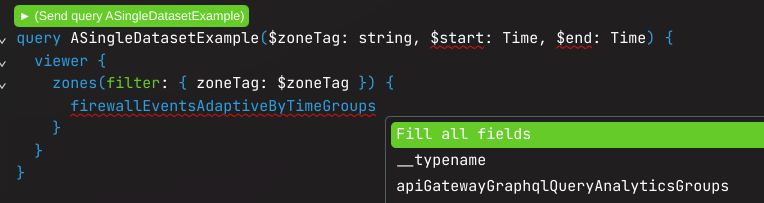
This generates the following GraphQL query:
query ASingleDatasetExample($zoneTag: string, $start: Time, $end: Time) {
  viewer {
    zones(filter: { zoneTag: $zoneTag }) {
      firewallEventsAdaptiveByTimeGroups {
        avg {
          sampleInterval
        }
        confidence(level: "_____") {
          count {
            estimate
            isValid
            lower
            sampleSize
            upper
          }
          level
        }
        count
        dimensions {
          apiGatewayMatchedEndpoint
          apiGatewayMatchedHost
          attackSignatureCategories
          attackSignatureRefs
          botDetectionIds
          botDetectionTags
          botScore
          botScoreSrcName
          date
          datetime
          datetimeFifteenMinutes
          datetimeFiveMinutes
          datetimeHour
          datetimeMinute
          description
          firewallForAiAnyPiiCategory
          firewallForAiCustomTopicCategoriesScoresMin
          firewallForAiInjectionScore
          firewallForAiPiiCategories
          firewallForAiUnsafeTopicCategories
          fraudAttack
          fraudDetectionIds
          fraudDetectionTags
          fraudEmailRisk
          fraudEventType
          fraudUserId
          httpApplicationVersion
          ja3Hash
          ja4
          jsDetectionPassed
          verifiedBotCategory
          wafAttackScore
          wafAttackScoreClass
          wafMlAttackScore
          wafMlSqliAttackScore
          wafMlXssAttackScore
          wafPathTraversalAttackScore
          wafRceAttackScore
          wafSqliAttackScore
          wafXssAttackScore
          zoneVersion
        }
        sum {
          botDetectionIdArray
          botDetectionIdCountArray
          botDetectionTagArray
          botDetectionTagCountArray
          fraudDetectionIdArray
          fraudDetectionIdCountArray
          fraudDetectionTagArray
          fraudDetectionTagCountArray
        }
      }
    }
  }
}
Three-quarters of which are enterprise data!
We can test and remove step by step the fields and dimensions we don't have access to in order to get a working query.
query ASingleDatasetExample($zoneTag: string, $start: Time, $end: Time) {
  viewer {
    zones(filter: { zoneTag: $zoneTag }) {
      firewallEventsAdaptiveByTimeGroups(
        filter: { datetime_gt: $start, datetime_lt: $end }
        limit: 2
        orderBy: [datetime_DESC]
      ) {
        avg {
          sampleInterval
        }
        count
        dimensions {
          date
          datetime
          datetimeFifteenMinutes
          datetimeFiveMinutes
          datetimeHour
          datetimeMinute
          description
          firewallForAiAnyPiiCategory
          firewallForAiCustomTopicCategoriesScoresMin
          firewallForAiInjectionScore
          firewallForAiPiiCategories
          firewallForAiUnsafeTopicCategories
          httpApplicationVersion
          verifiedBotCategory
          zoneVersion
        }
      }
    }
  }
}
Discovering the Cloudflare MCP
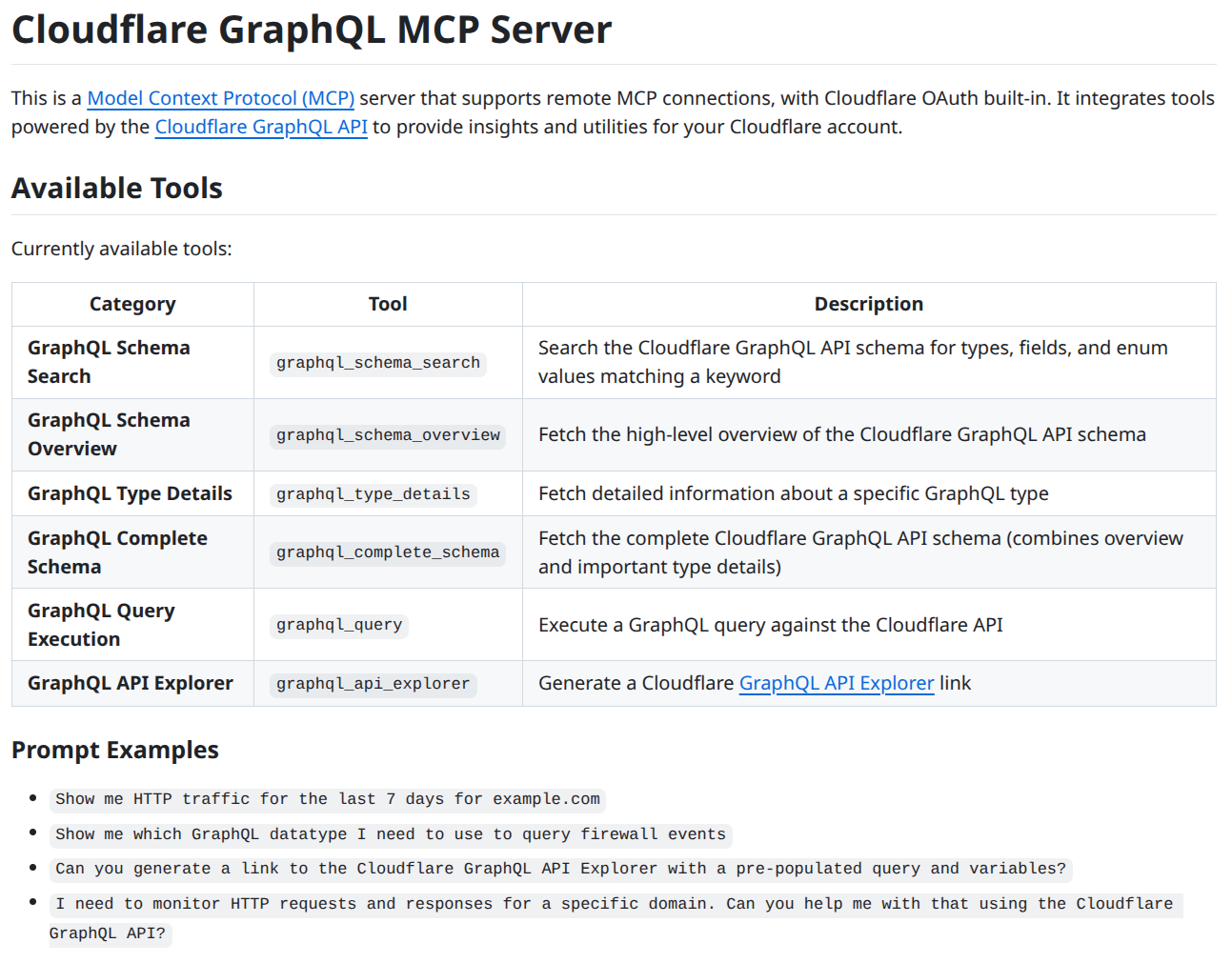
While searching for limits and constraints in the documentation, I came across the Cloudflare MCP page for GraphQL. The README contained very helpful prompt examples, such as:
Show me HTTP traffic for the last 7 days for example.comShow me which GraphQL datatype I need to use to query firewall events
I immediately liked the idea: instead of spending hours guessing the right fields and combinations, I could let an AI tool explore the schema and propose queries actually compatible with my context.
Attempting with the Playground
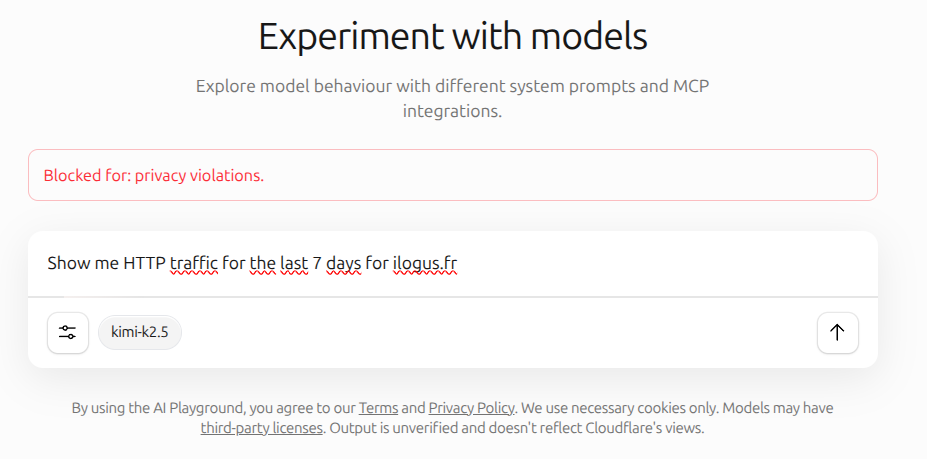
When discovering the MCP, I also saw that Cloudflare offered a Playground in chat form. I connected the GraphQL MCP there and started writing the prompts from the README.
But disaster struck: the Playground was too unstable in my case. When I tried to retrieve statistics for one of my domains, I sometimes got security errors or unusable responses.
Even when I explicitly asked to use the Cloudflare MCP, the result often went in circles: attempting to go through HTTP, misinterpreting the context, or queries that didn't complete.
I quickly abandoned this approach to move to Claude Code.
Moving to Claude Code
To add the GraphQL MCP in Claude Code, you can connect it with:
claude mcp add --transport sse cloudflare-graphql https://graphql.mcp.cloudflare.com/sse
Then, authenticate in the MCP settings.
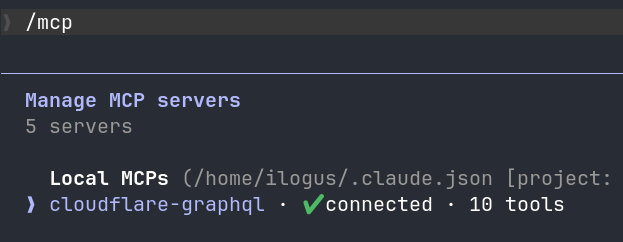
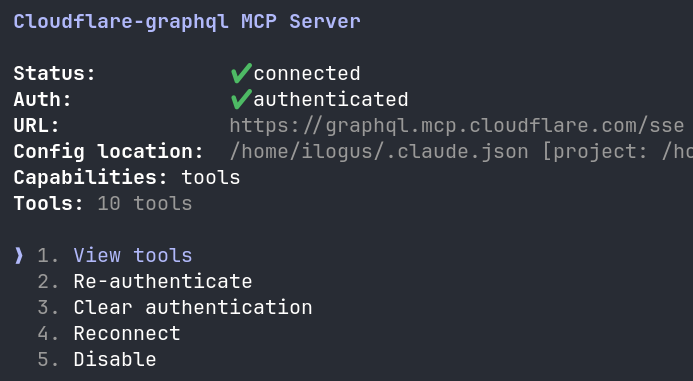
If you use it over several days, regularly check that the connection is still valid.
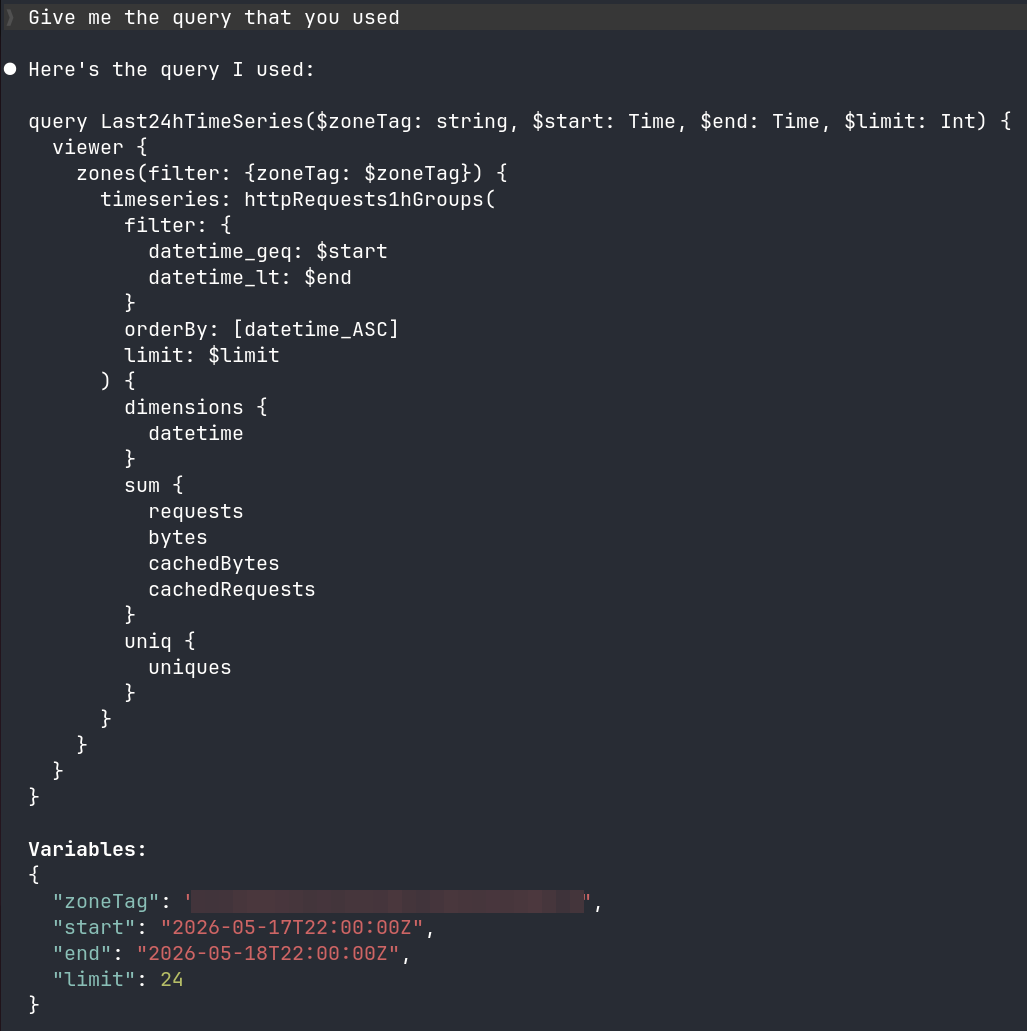
Once connected, I was able to retry retrieving the data I was originally looking for.
And this time, it worked: I got the right queries, tested against my plan, with the right fields and parameters. Most useful, I finally had queries ready to integrate into my application.
What I Learned
The real benefit of the MCP is not just "generating a query." The benefit is especially reducing time wasted interpreting overly abstract GraphQL documentation.
In my case, it helped me:
- identify the right fields
- understand the constraints related to my plan
- test parameters before integration
- avoid starting with too ambitious or invalid queries
Tips on Cloudflare's GraphQL API
If you implement this API, keep in mind its limits. According to Cloudflare documentation, the GraphQL Analytics API is designed for aggregated data, and default limits include notably 300 requests over a 5-minute window, and a maximum of 10 zones for a zone-scoped query.
If you need to retrieve data for multiple zones, the cleanest approach is to work in batches of 10 zones at a time. This greatly reduces the total number of requests and avoids unnecessarily hitting the limits.
Query Example
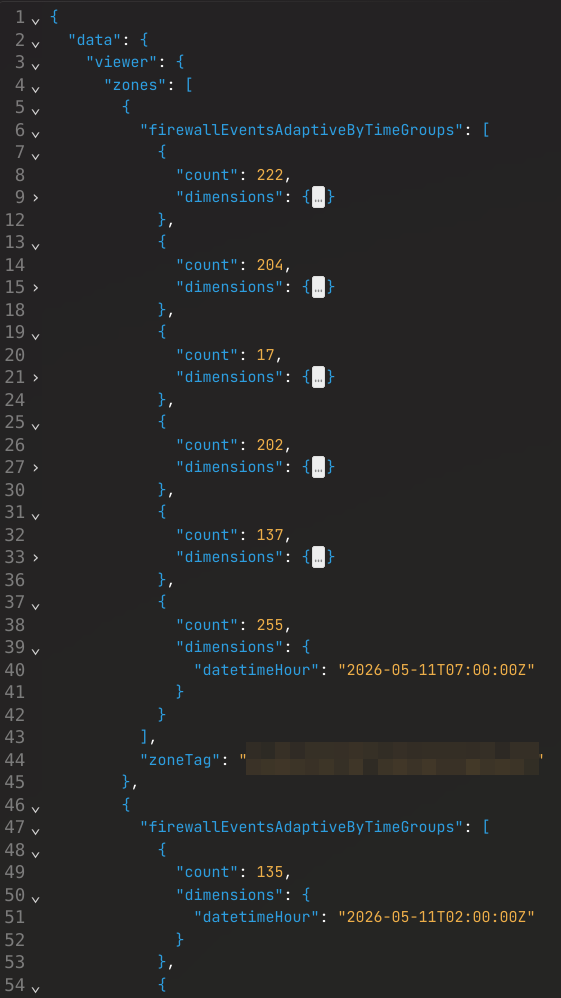
Once the logic is understood, the interesting part becomes integration in the code. Here's an example of a GraphQL query structure I was able to stabilize after testing with the MCP:
query FirewallByTimeBatch(
  $zoneTags: [string!]
  $start: Time
  $end: Time
) {
  viewer {
    zones(filter: { zoneTag_in: $zoneTags }) {
      zoneTag
      firewallEventsAdaptiveByTimeGroups(
        filter: {
          datetime_geq: $start
          datetime_lt: $end
          action: "block"
        }
        limit: 1000
        orderBy: [datetimeHour_ASC]
      ) {
        dimensions {
          datetimeHour
        }
        count
      }
    }
  }
}

# variables
{
  "zoneTags": [
    "abc123",
    "abc456"
  ],
  "start": "2026-05-11T02:07:05Z",
  "end": "2026-05-11T17:07:05Z"
}
The goal wasn't to have the most elegant query possible, but the right query for my actual need.
Practical Conclusion
Cloudflare's GraphQL API remains powerful, but the documentation clearly requires more effort than a well-marked REST API. If you're not comfortable with GraphQL, I advise against spending too much time guessing fields and constraints manually.
Instead, use Cloudflare's MCP in your development environment. Let the AI explore the schema, test permissions according to your subscription, then generate queries you can integrate into your project.
In my opinion, this is the fastest way to go from confusing documentation to actually usable queries.