Introduction
I gave this course in April 2023, as reveal.js slides on my former blog. I'm bringing it back here as an article, updated along the way, and the original slides are still available at the end.
On the menu: understand why email is a fragile channel, then set up SPF, DKIM, DMARC and BIMI, and finally test it all.
Why email isn't secure
SMTP dates back to a time when everyone trusted each other:
- nothing authenticates the sender: anyone can send an email with
From: [email protected]; - transport encryption (STARTTLS) is opportunistic and doesn't protect the message end to end;
- so it's easy to spoof an identity for phishing or spam.
To defend themselves, receiving servers compute a reputation: based on the sending IP address, the domain and the message content. They can also ask the sender to retry later (greylisting).
The direct consequence for you: without proper configuration, your emails can take several minutes to arrive, land in spam, or never arrive at all.
Since February 2024, Gmail and Yahoo require at least SPF or DKIM for all senders, and SPF, DKIM and DMARC for bulk senders (more than 5,000 emails a day to Gmail). It's no longer optional.
SPF: Sender Policy Framework
SPF (RFC 7208) lets you declare, in DNS, which IP addresses are allowed to send emails for your domain. The receiving server compares the sender's IP against that list.
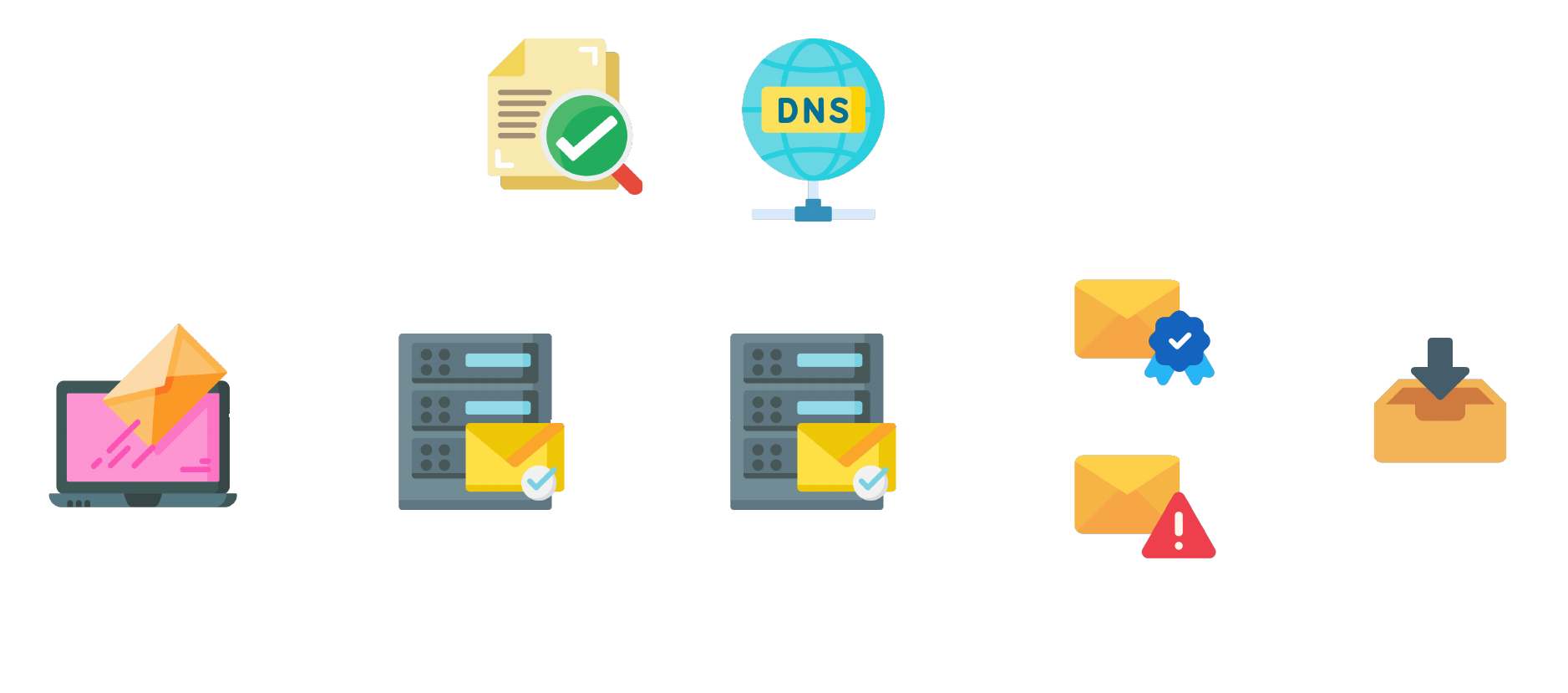
The SPF record is a plain TXT record (the SPF DNS type is deprecated):
ilogus.dev. IN TXT "v=spf1 include:_spf.google.com ~all"
v=spf1: the version;include:: includes another domain's IP list (your email provider);ip4:/ip6:/a/mx: allow specific IPs, or those of the A and MX records;~all: everything else is a softfail (suspicious).-allis a hard fail,?allneutral.
A few rules to follow:
- Only one SPF record per domain: if there are two, SPF fails.
- No more than 10 DNS lookups (
include,a,mx…) in total, or SPF fails as well. - List all your sending services: mail host, emailing tool, application, CRM…
Test your record with MxToolbox SPF.
DKIM: DomainKeys Identified Mail
DKIM (RFC 6376) signs emails with a private key. The public key is published in DNS, and the receiving server uses it to verify that the message really comes from your domain and wasn't altered in transit.
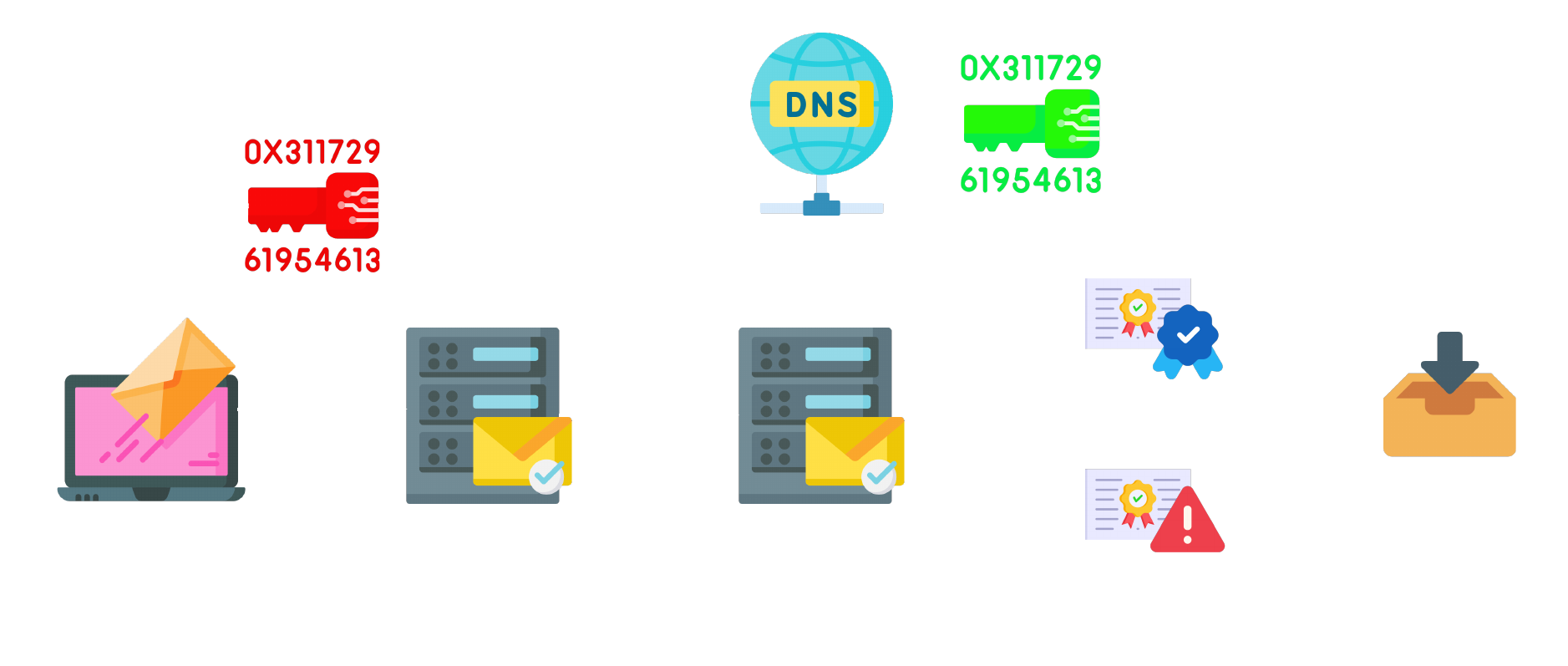
Most providers (Google Workspace, Microsoft 365, Brevo…) generate the key for you and give you the record to create. If you run your own sending server, you can generate it with OpenSSL:
openssl genrsa -out dkim_private.pem 2048
chmod 600 dkim_private.pem
Then extract the public key in base64, ready for DNS:
openssl rsa -in dkim_private.pem -pubout -outform der 2>/dev/null | openssl base64 -A
The key is published under a selector, which lets you have several keys (one per service, or for rotation). For example, for the accounting department:
accounting._domainkey.ilogus.dev. IN TXT "v=DKIM1; k=rsa; p=MIIBIjANBgkqh..."
v: the version;k: the key algorithm;p: the base64 public key.
Test with MxToolbox DKIM, giving the domain and selector.
DMARC: the policy tying it all together
A DMARC policy allows the sender to indicate that its emails are protected by SPF and/or DKIM, and tells the recipient what to do if these authentication methods fail.
DMARC (RFC 7489) adds the concept of alignment: it's not enough for SPF or DKIM to pass, the verified domain must match the domain shown in the From header. That's what really prevents spoofing. As a bonus, you receive reports about emails sent on your behalf.
The record goes on the _dmarc subdomain:
_dmarc.ilogus.dev. IN TXT "v=DMARC1; p=quarantine; adkim=r; aspf=r; rua=mailto:[email protected]"
p: the policy on failure:none(monitor),quarantine(spam),reject;adkim/aspf: DKIM and SPF alignment,r(relaxed, subdomains accepted) ors(strict);rua: the address receiving aggregate reports (themailto:is required).
The right approach: start with p=none, read the reports for a few weeks to spot forgotten services, then move to quarantine and finally reject. Cloudflare explains the DMARC record very well.
Check with MxToolbox DMARC.
BIMI: your logo in the inbox
BIMI (Brand Indicators for Message Identification) displays your brand's logo next to your emails in the inbox. The idea is similar to certificates: the logo can be certified by a third party.
Requirements:
- DMARC at
p=quarantineorp=reject(notnone); - a logo in SVG Tiny PS format, served over HTTPS;
- for Gmail and Apple Mail, a VMC (Verified Mark Certificate, which requires a registered trademark) or, since 2024, a CMC (Common Mark Certificate), which is easier to get. Expect several hundred dollars a year, and well over $1,000 for a VMC.
Without a certificate, a "self-asserted" BIMI is still possible. Fewer mail clients honor it, but it's a good start:
default._bimi.ilogus.dev. IN TXT "v=BIMI1; l=https://ilogus.dev/bimi/logo.svg;"
Testing your emails
Once everything is configured, test each piece, or all at once:
- MxToolbox Deliverability checks all your records;
- mail-tester.com analyzes a real email sent to a test address: authentication, but also HTML content, links and reputation;
- from the command line,
digis enough to check what's published:
dig +short TXT ilogus.dev
dig +short TXT _dmarc.ilogus.dev
dig +short TXT accounting._domainkey.ilogus.dev
The course slides
Here are the original course slides. Navigate with the arrow keys or the space bar, or open them full screen.
Conclusion
SPF says who can send, DKIM proves the message is authentic, DMARC says what to do on failure and keeps you informed, and BIMI showcases your logo once everything else is solid. A few well-placed DNS records, and your emails finally land where they should.